1. Go to URL https://console.developers.google.com/apis/dashboard and login by your Google account
If this is your first time accessing this site with your account, you need to agree to Google’s terms. 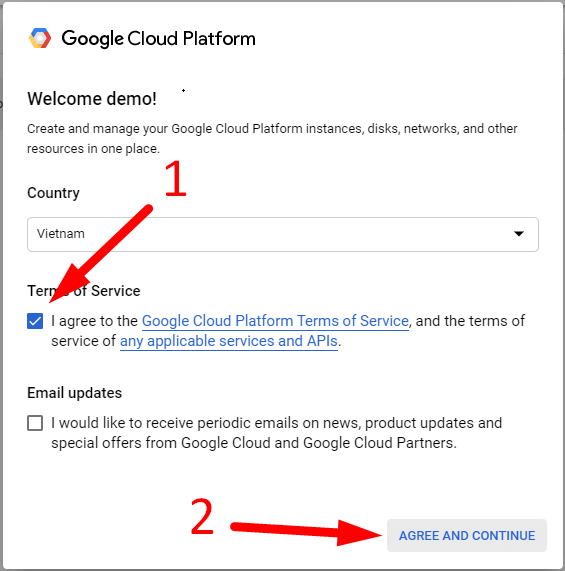
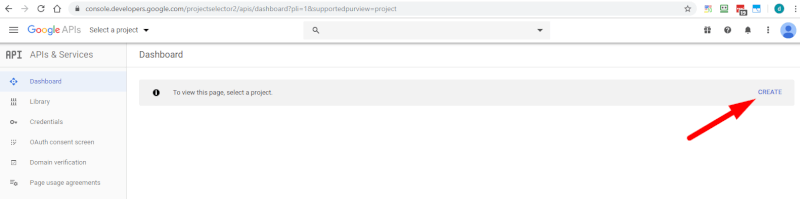
2. Create new project
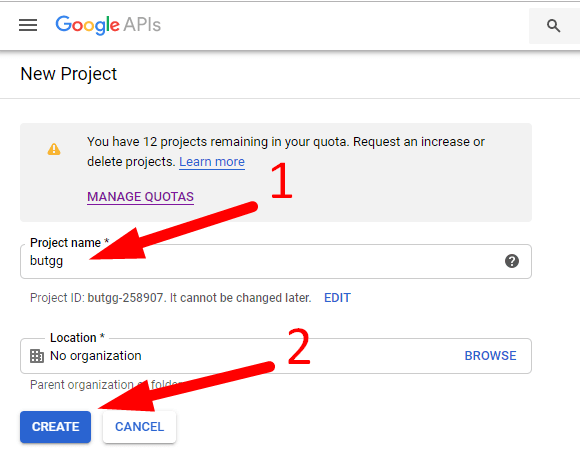
3. Type your Project name then click CREATE
4. Enable API
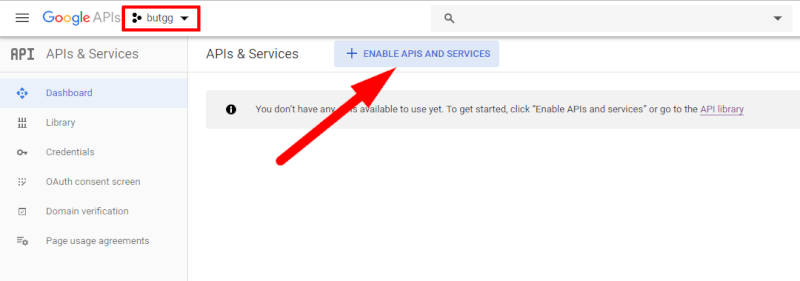
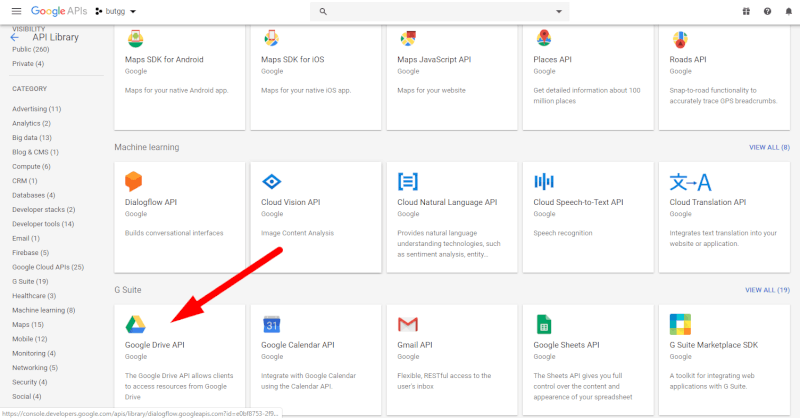
5. Choose Google Drive API
Search Google Drive API
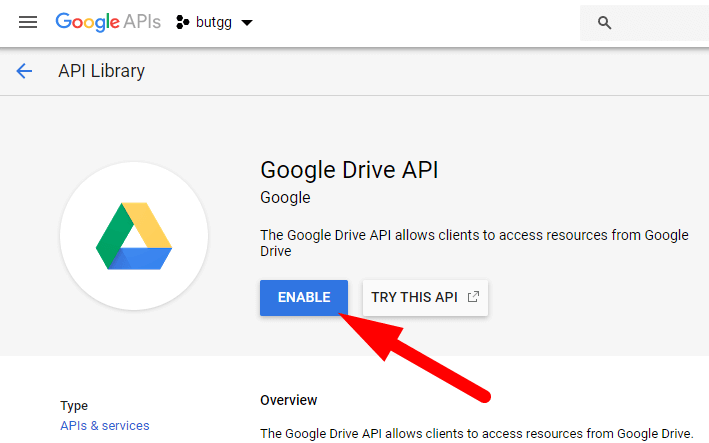
6. Click Enable
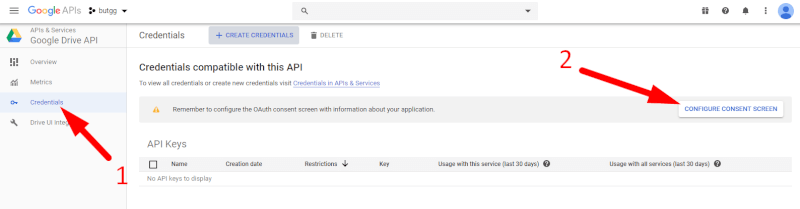
7. Configure consent screen
8. Type your Application name then click Save

9. Click to Create credentials then choose OAuth client ID

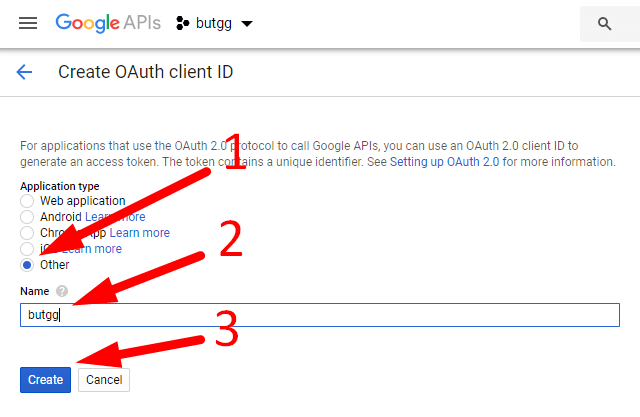
10. Choose Other, fill Name then click Create
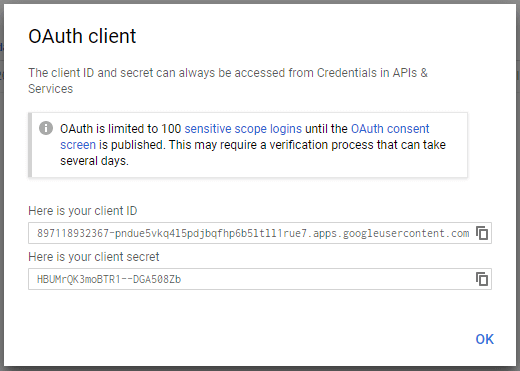
11. Successful! You will get client ID & client secret of your Google account: