mod_status is an Apache module that helps to monitor web server load and current httpd connections with an HTML interface that can be accessed via a web browser.
Apache’s mod_status shows a plain HTML page containing the information about current statistics of the webserver including.
- Total number of incoming requests
- Total number of bytes and counts server
- The CPU usage of Webserver
- Server Load
- Server Uptime
- Total Traffic
- Total number of idle workers
- PIDs with the respective clients and many more.
The default Apache Project enabled their server statistics page to the general public. To have a demo of the busy web site’s status page, visit.
https://status.devopsschool.co
How to Enable mod_status in Apache in Centos/Redhat?
$ sudo vi /etc/httpd/conf/httpd.conf
DocumentRoot "/var/www/html"
LoadModule status_module modules/mod_status.so
<Location /server-status>
SetHandler server-status
Order deny,allow
Deny from all
Allow from all
Allow from 172.31.0.16
</Location>
ExtendedStatus On
$ httpd -t
$ sudo systemctl restart httpd
$ curl http://localhost/server-status
$ curl http://localhost/server-status/?refresh=5
How to Enable mod_status in Apache in Ubuntu?
By default, Apache ships with the mod_status module already enabled. You can verify this by checking the mods_enabled directory by running ls command as shown:
$ ls /etc/apache2/mods-enabled | grep status*
status.conf
status.load
Ensure that the status.conf and status.load files are present. If not, you need to enable mod_status module by invoking the command:
$ sudo /usr/sbin/a2enmod status
Configure mod_status in Apache Ubuntu
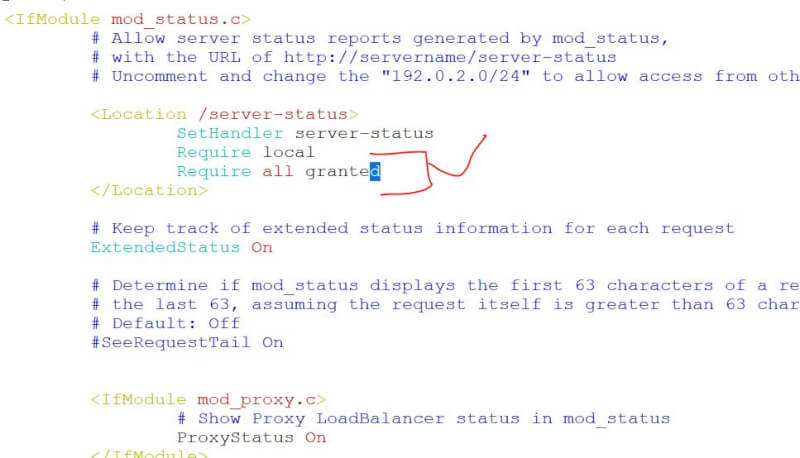
As stated earlier, the mod_status is already enabled. However, additional tweaks are required for you to access the server-status page. To do so, you need to modify the status.conf file.
$ sudo vi /etc/apache2/mods-enabled/status.conf
Set the Require ip directive to reflect the IP address of the machine that you will be accessing the server from.
Save the changes and restart Apache for the changes to take effect to confirm the status as shown:
$ sudo systemctl restart apache2
$ sudo systemctl status apache2
$ curl http://server-ip/server-status
$ curl http://server-ip/server-status?refresh=5